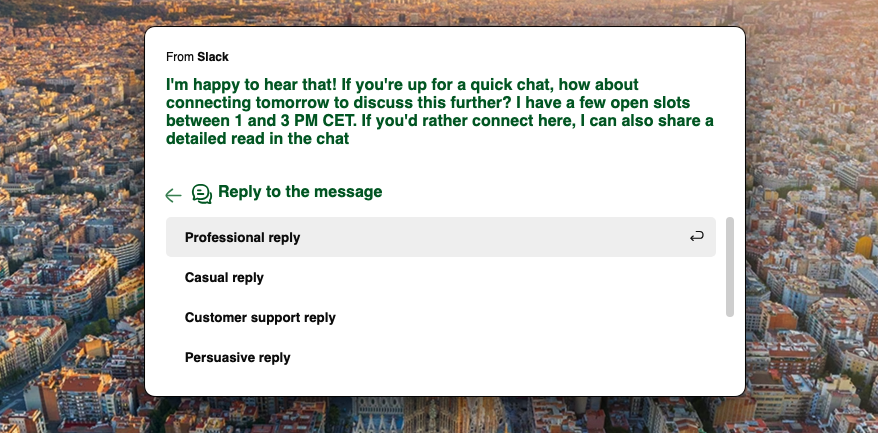
How to edit and manage text with AI
Manzoni offers two ways to access the text editing feature:
-
in any app, by selecting the text and pressing ⌥ Option + Spacebar or the hotkey you configured to access the Manzoni assistant.
-
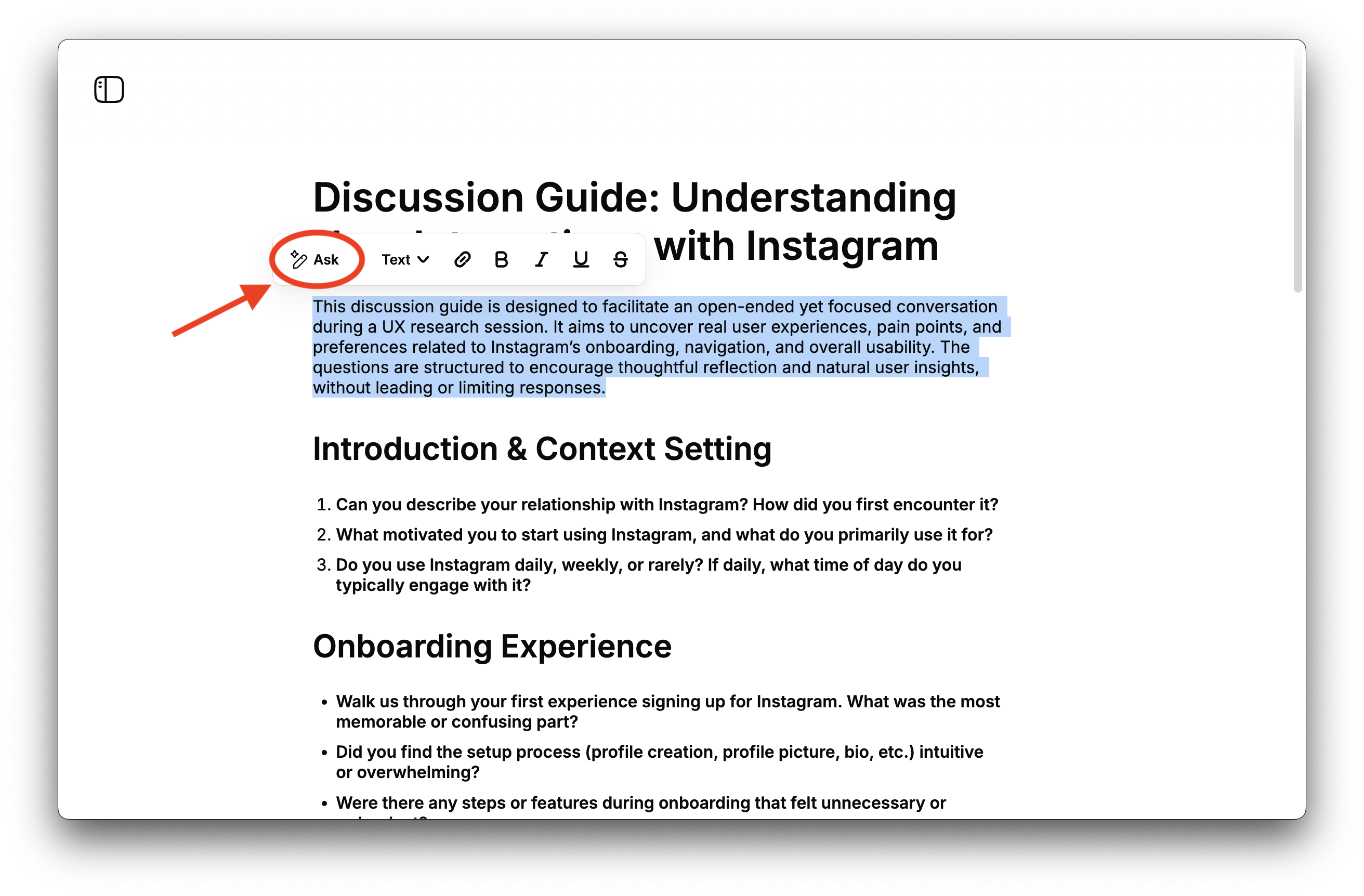
in the Manzoni editor, by selecting the text and clicking on the "Ask" button from the contextual menu that appears.
If you selected a sentence or paragraph, here's a list of the options you have in the menu that appears:
- Polish text
- Change tone
- Summarize
- Translate
- Get feedback on your text
- Reply to a message
You can still ask the AI any questions about the selected text‚ such as requesting a specific edit not available in the menus, seeking clarification on a concept, etc.
If you selected a single word, the menu options are:
- Find synonyms
- Find antonyms (contraries)
- Explain etymology
- Translate
Each option wraps a tailored prompt that helps speed up and improve the answers to common requests.