How to configure a hotkey to access the writing assistant
Manzoni lets you access its local AI engine from any app on your Mac.
You can use it to summarize, translate, reply to messages, get feedback, make your writing sound better, and more.
After you granted accessibility permissions, there are two ways to open the assistant:
-
Look for the Manzoni icon in the menu bar and click 'Open Assistant'.
-
Set a keyboard shortcut and type it anytime you need AI assistance without switching context.
The default hotkey is ⌥ Option + Spacebar. Here's how to update it in case you need:
- Open Manzoni Editor
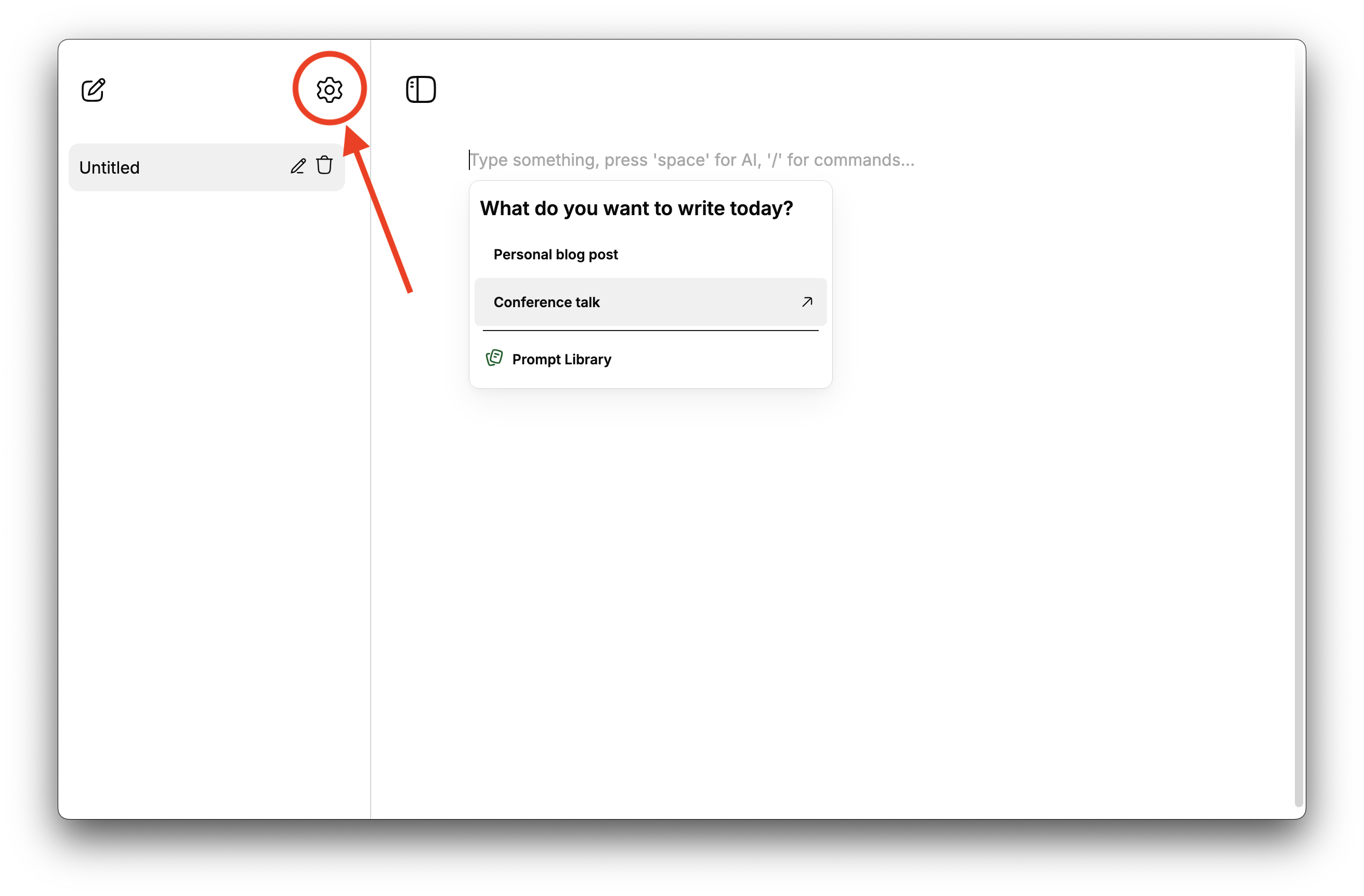
- Go to Settings ⚙️
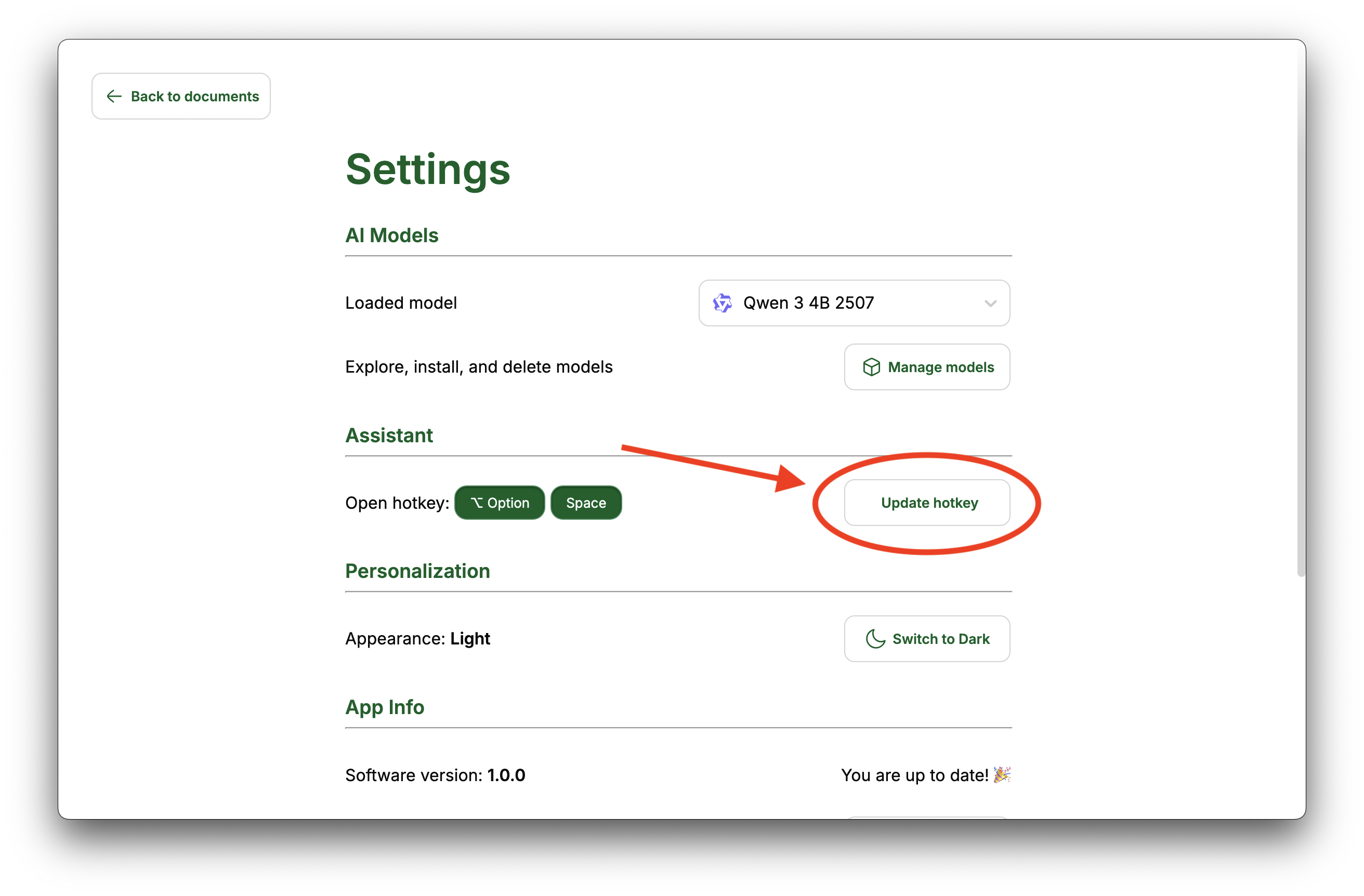
- Under the Assistant section, click on 'Update hotkey' button.
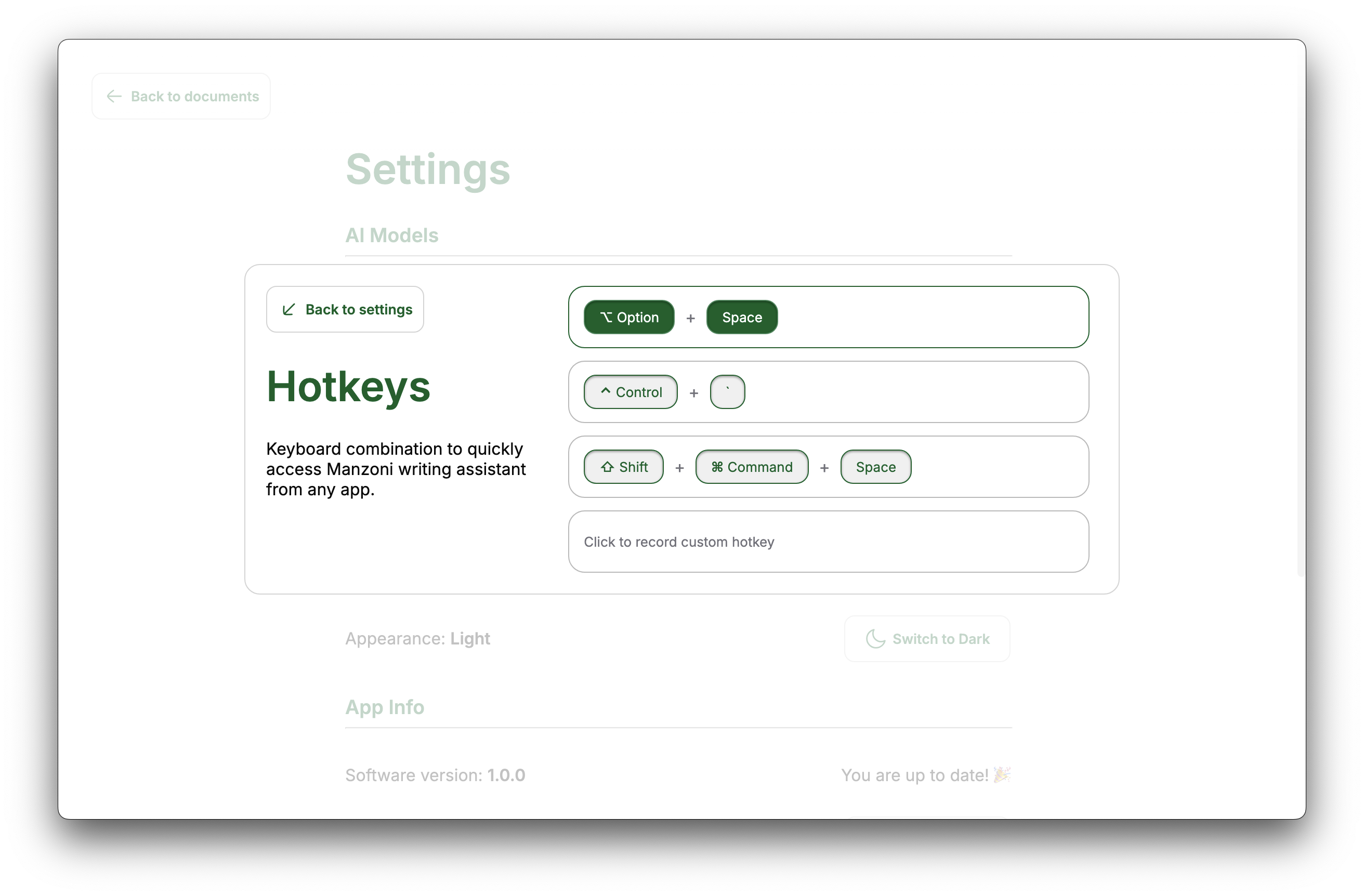
- Click on one of the suggested alternatives or record a custom one.