How to give accessibility permissions to the writing assistant
Manzoni writing assistant needs accessibility permission to run in all your Mac apps.
The first time you trigger the assistant by pressing ⌥ Option + Spacebar or the hotkey you configured, Manzoni informs you about the permission request and opens the Accessibility window (step 3 below).
Here are the steps to give permissions:
- Open System Settings.
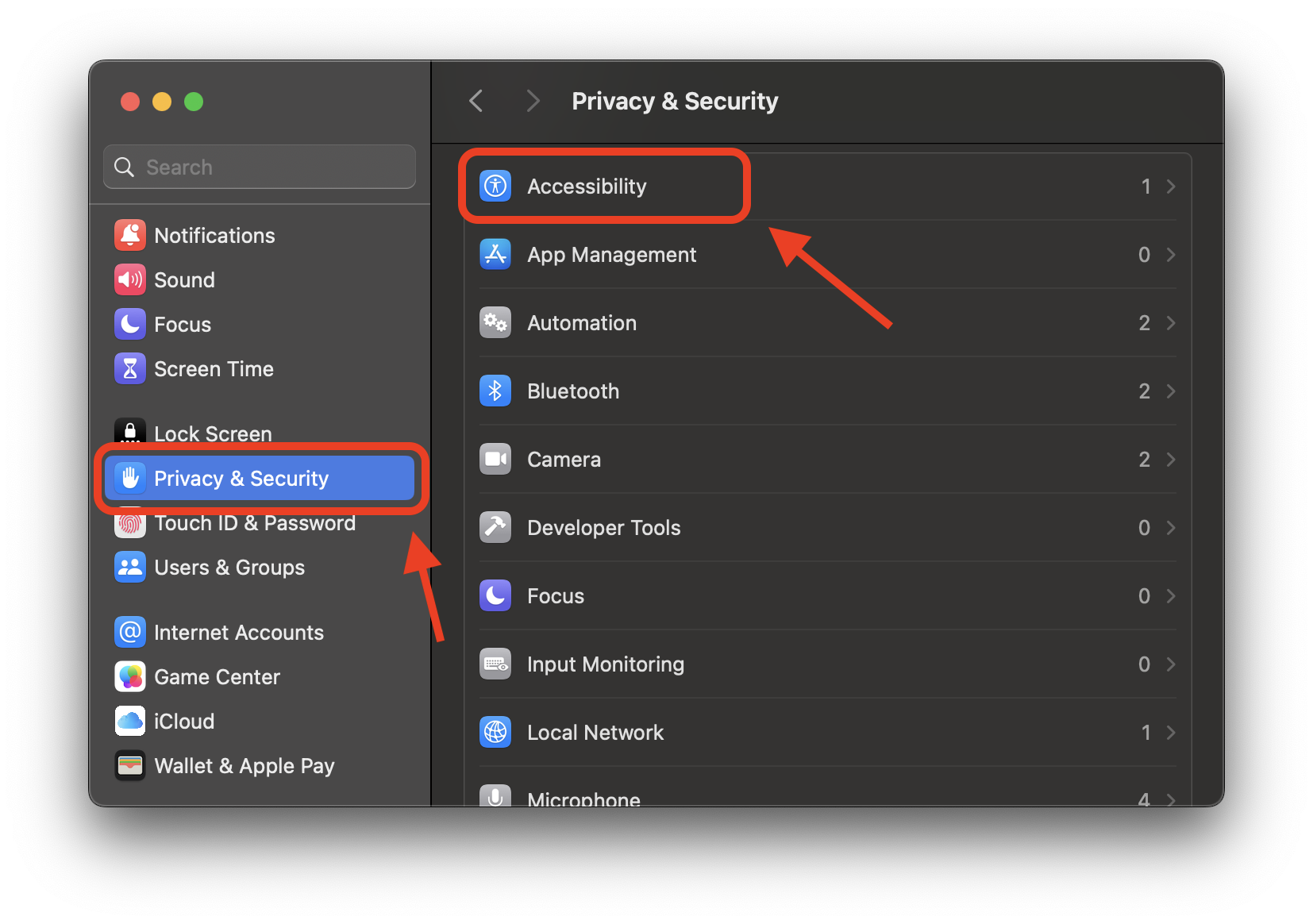
- Click on Privacy & Security ➜ Accessibility on the right tab that opens.
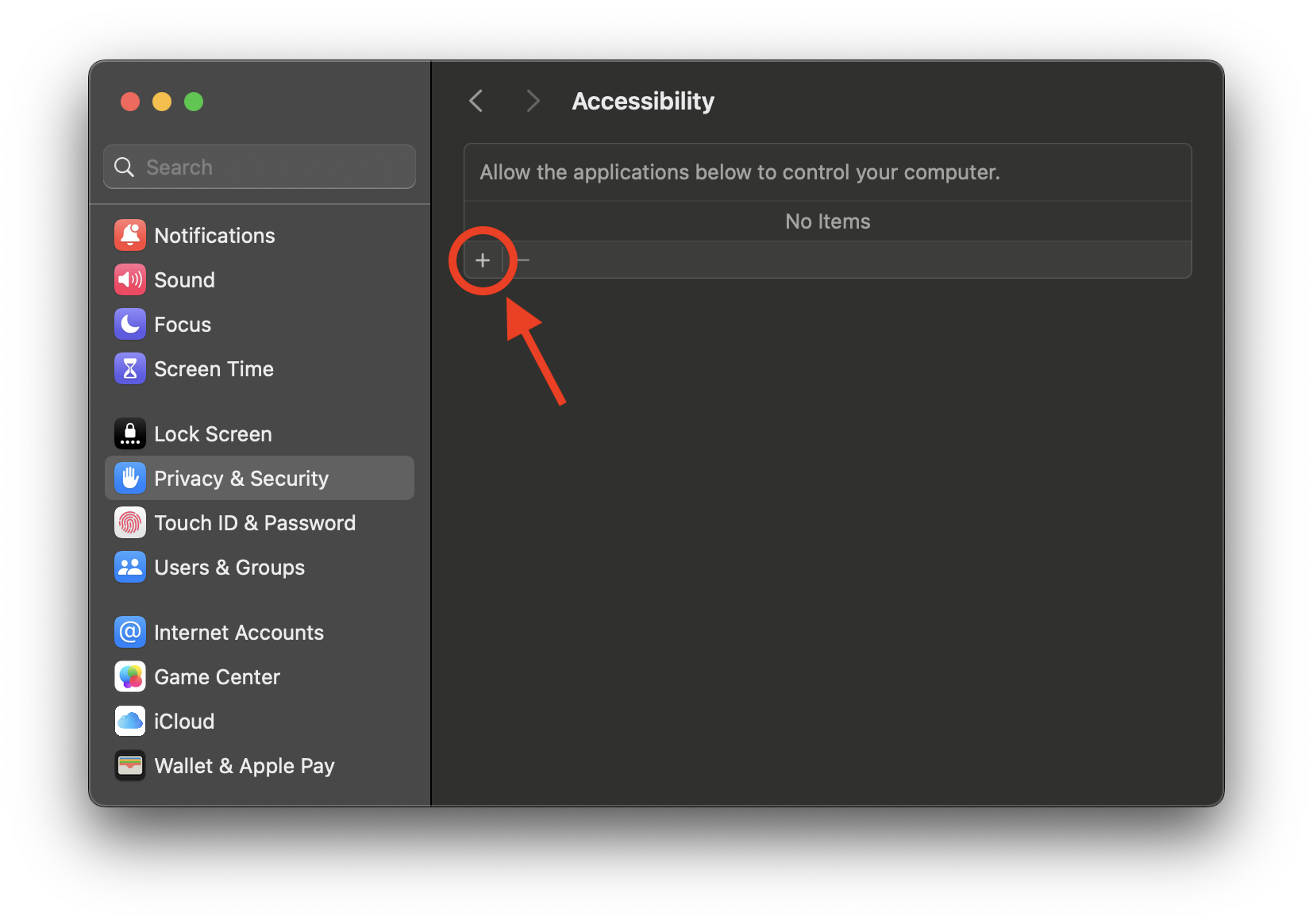
- Click on the little "+" icon and choose Manzoni.
- If Manzoni is open, restart the app to make sure it runs with the updated permissions.
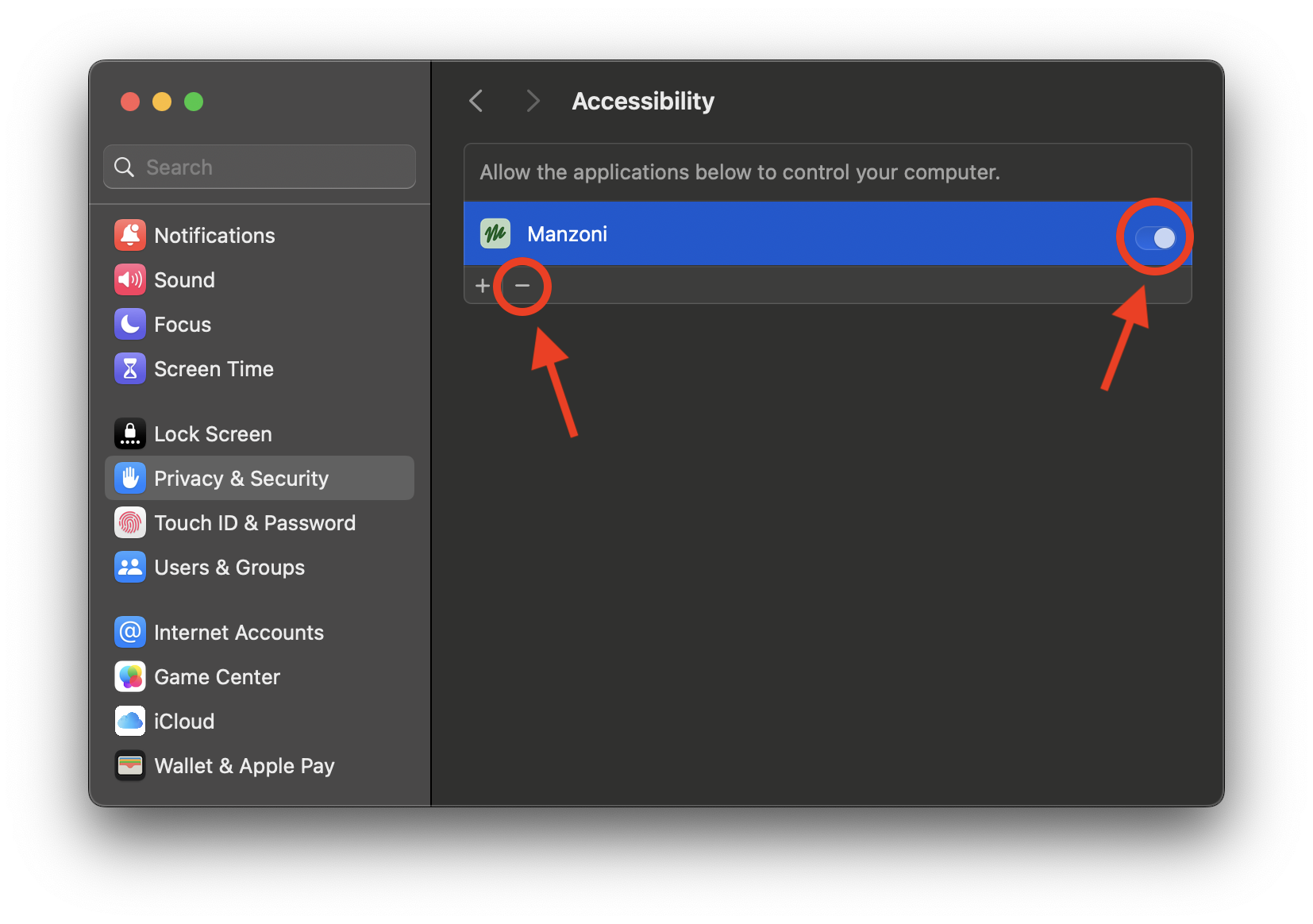
- To revoke permissions, repeat the steps 1-3 then select Manzoni from the list and click on the little "-" icon or the switch on the right.